
Planning Center in the top bar lists everywhere Planning Center and the roster doc disagree, grouped by kind, each with a link to the person or team in Planning Center. Leaders see their own team's items; admins see everything.
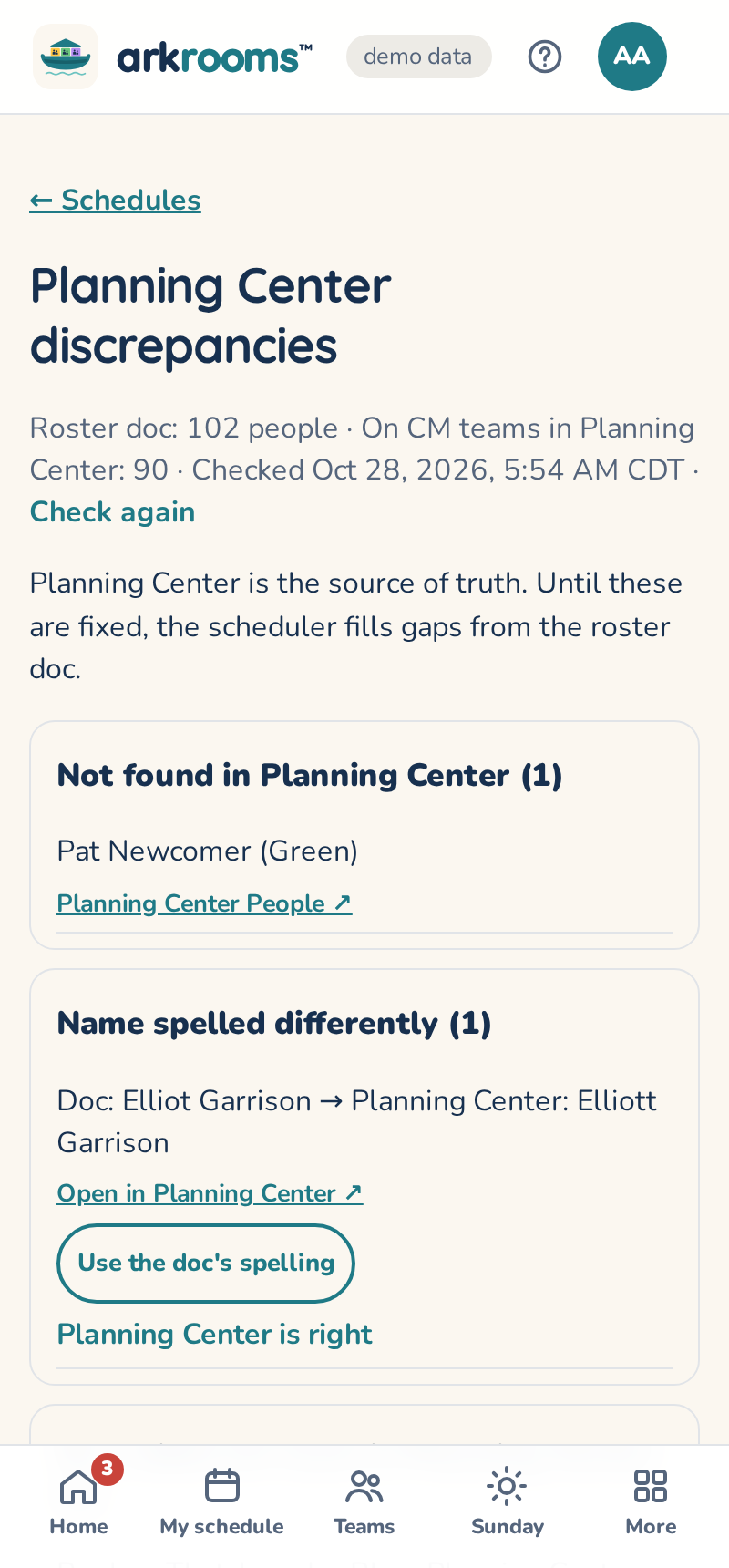
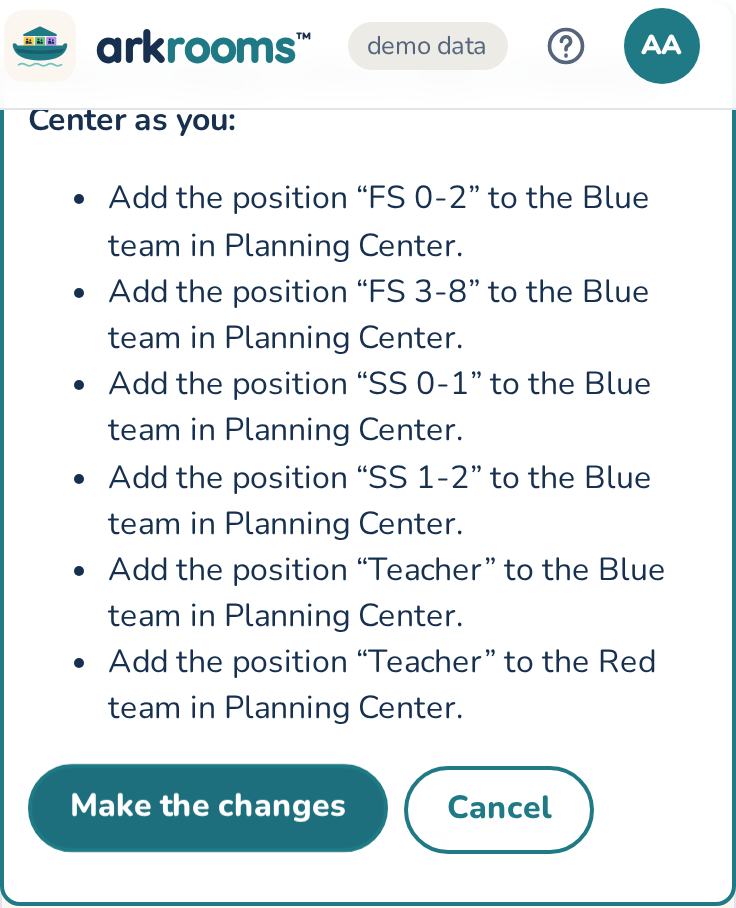
Admins can fix most items here: add someone to their team as Volunteer, Leader or Teacher, add a missing position to a team, use the roster doc's spelling of a name, or add the custom fields Arkrooms reads (CM Training Date and CM Availability, on a Children's Ministry tab in People; this one needs People Manager). Fix all does a whole section. Every fix shows exactly what will change first, and is made in Planning Center as you. Fixes never remove anyone; removals are done in Planning Center from the link. Planning Center is right clears a spelling item.
When the list is empty, the page says the roster doc is no longer needed.