Arkrooms Try the demo

Features

Everything your kids' ministry schedule needs.

Children's ministry scheduling that keeps your safety rules, shares the work fairly and tells every volunteer where to go. Your church stays in Planning Center.

Safe rooms, every Sunday

A schedule that breaks one of your safety rules can't be approved.
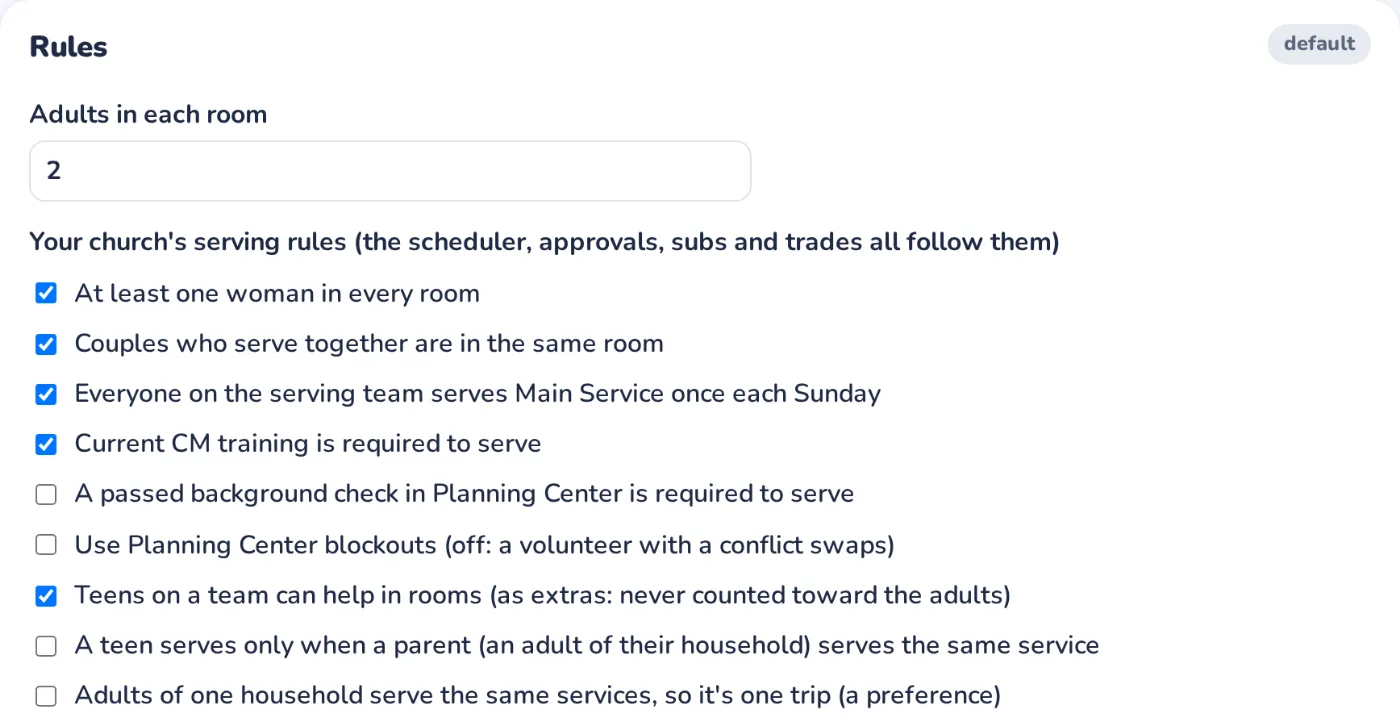
The right adults in every room
Two adults per room by default, or each age group's own minimum, and a woman in every room if you require it.
Ratios that follow the kids
Set kids per adult for each age group (3 babies to 1 adult, say), and rooms are staffed for the kids you expect.
Training that's current
Only trained volunteers are scheduled, and they're reminded 60, 30 and 7 days before it runs out.
Background checks, if you require them
A passed check in Planning Center becomes a rule, checked like the others.
Teens as helpers, never as adults
Teens serve as extras alongside the adults, never counted toward them, and only with a parent if you like.
Your own rules
At least, at most, never together, only these rooms, per month, or required, set as musts or preferences.
Settings → Rules: a woman in every room, couples together, current training and a background check

Fair schedules, made for you

Every room and service filled automatically, ready for a leader to approve.
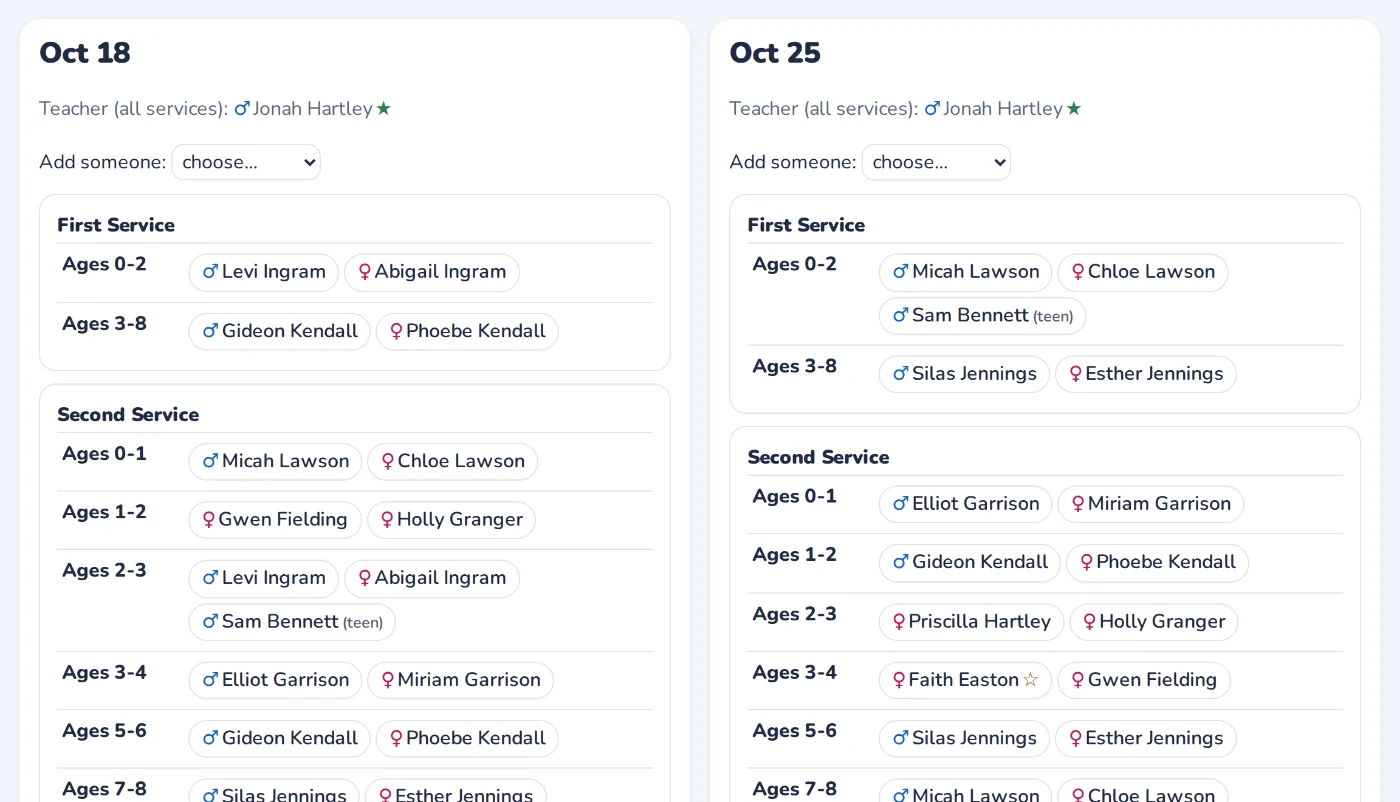
Proposed from your rotation
Teams take turns by block, or one big team takes turns by person, and each block's schedule is drafted for you.
The work shared out
Repeats are spread out, nobody is overloaded, and whoever served most lately goes last.
Couples and households together
Couples who serve together are put in the same room, and families can be kept to one service.
Tweak, then approve
Leaders move people around and every change is checked as they make it.
Your limits
The main service once each, a most-slots-per-Sunday limit, and Planning Center blockouts if you use them.
Sundays that change
Mark a service cancelled for Christmas or a combined service, and the schedule follows.
A leader's schedule for a block: every room filled for each service, with every check passing

Subs without the scramble

The right people are asked, and the rules are still kept.
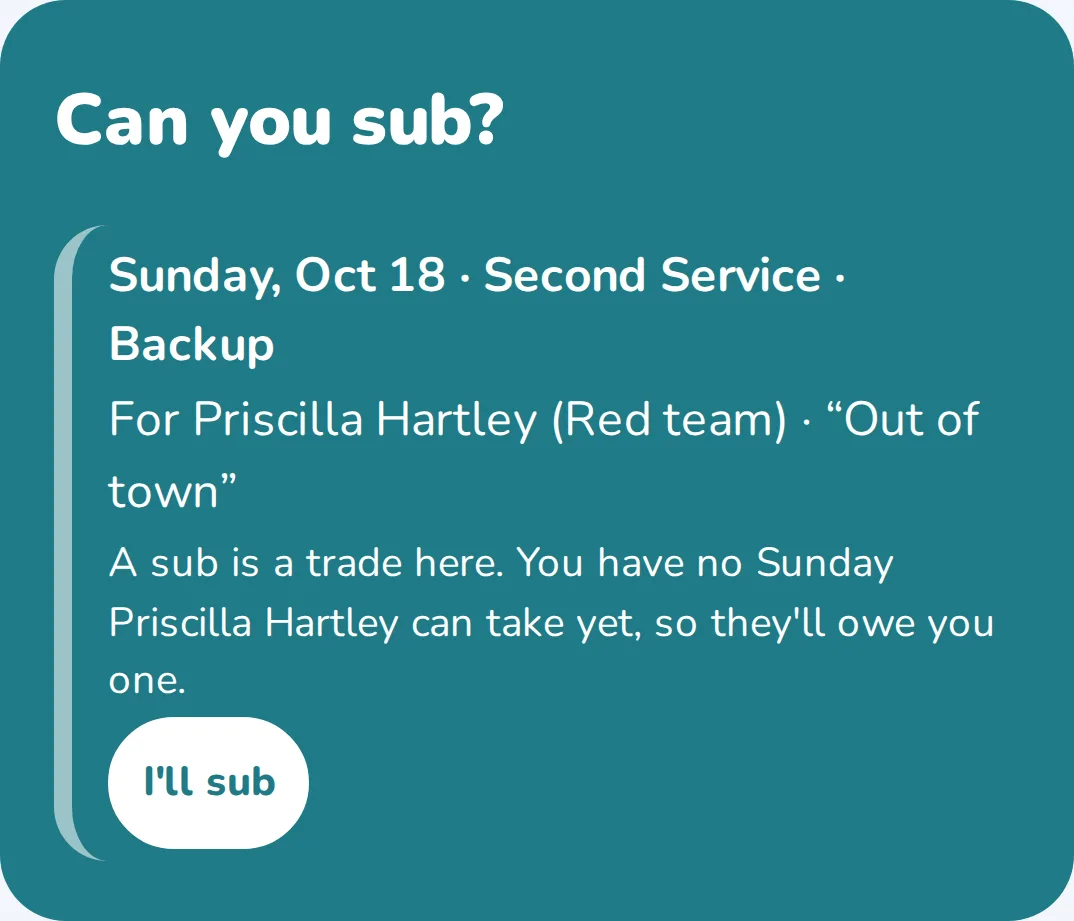
Ask in two taps
"Can't make it?" goes only to people who can take that room without breaking a rule, the next teams first, then everyone.
Subs as trades
Optional: whoever covers you, you cover them, and Arkrooms keeps track of who owes a Sunday.
Swaps between teammates
Two volunteers trade Sundays, checked against the same rules.
Leaders approve
An optional approval step, one tap from the email.
Emergencies
A last-minute call-out alerts the leaders and asks every team at once.
A sub request a volunteer can take, with an I'll sub button

Volunteers always know where to go

The room, the time, who they're with, and how to set it up.
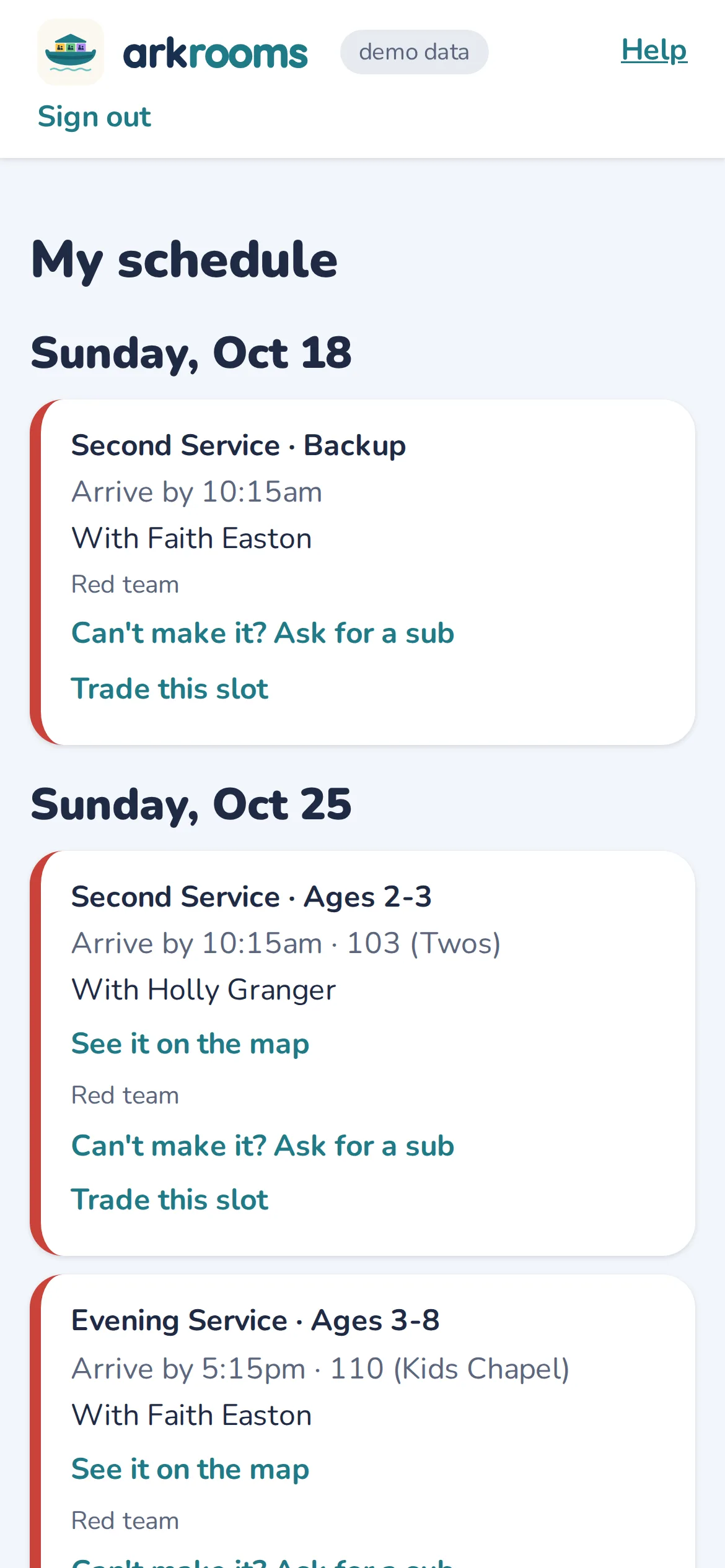
My schedule, on any phone
Their Sundays with arrival times and partners. Nothing to install.
A calendar that keeps itself up to date
A private calendar feed for Google, Apple or Outlook calendars.
Reminders on their terms
Emails on the days the church picks, with its note, and each volunteer can choose their own.
A map of your building
Their room highlighted on your own floor plan, with your setup notes for it.
Sign-ups, with the rules checked
Optional: volunteers sign up for open places, and the rules are kept.
A welcome tour
A short tour and a guide for each role, so nobody needs training to use it.
A volunteer's My schedule on a phone: the next Sunday's room, time and partner

Leaders stay on top of Sunday morning

What needs them, first, and every room at a glance.
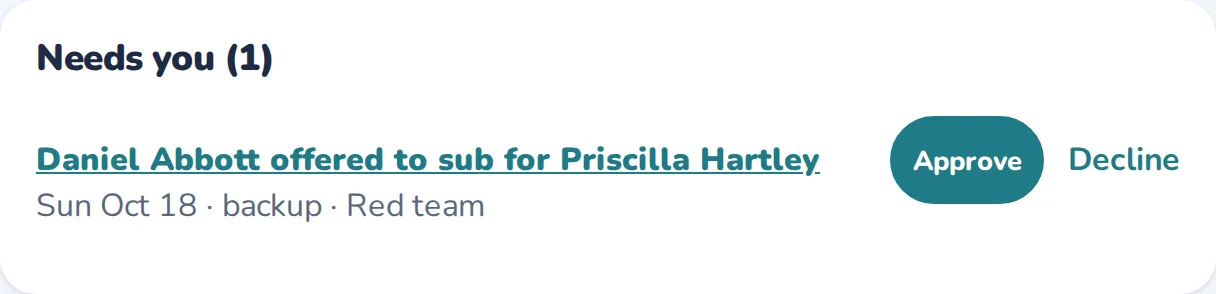
"Needs you"
Sub offers to approve and schedules to review, at the top of their home page.
This morning
Who's in each room, with how many kids have checked in.
Alerts when a room needs another adult
During services, leaders and admins get an email and a banner when a room has more kids than its adults cover.
Who didn't come
The morning after, leaders mark no-shows and late call-outs, so reliability shows up in your stats.
A weekly leader email
The coming Sunday's team and this week's lesson link, on the day you choose.
The leader's Needs you list with a sub offer to approve

Works with Planning Center

Your church stays in Planning Center. Arkrooms reads from it and publishes back.
Sign in with Planning Center
Teams, people, households, training dates and blockouts are read for you. There's nothing new to type in.
Publish to Services
Approved schedules go into Planning Center Services, in the positions you choose.
Roster problems, found and fixed
A discrepancies page spots mismatches between your records and Planning Center, and an admin picks the fixes to make.
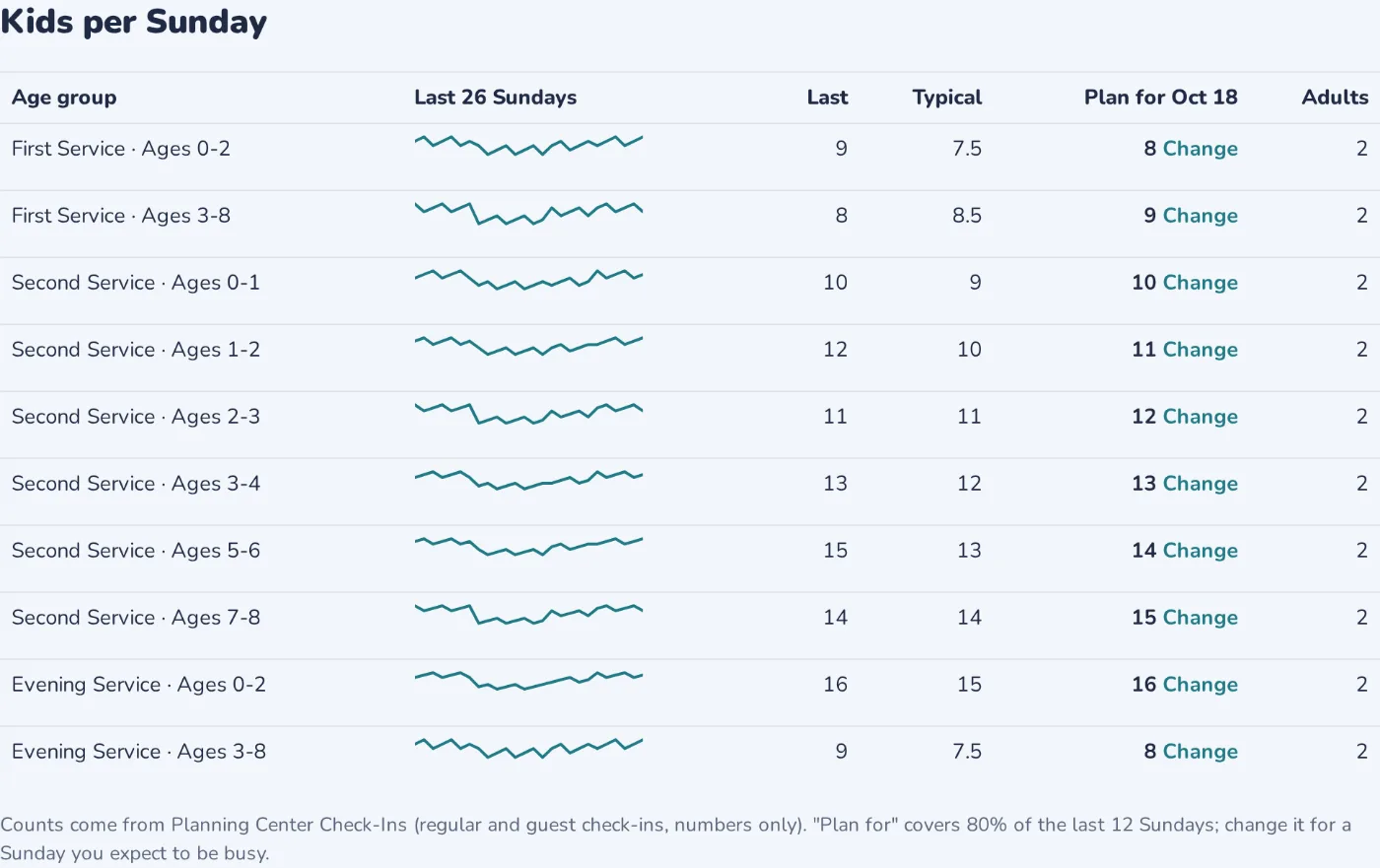
Check-Ins counts
Kids per room next to the adults scheduled, and kids per Sunday over the year. Read-only, numbers only.
Calendar bookings
Optional: rooms booked in Planning Center Calendar are checked against the rooms your services use.
Kids per Sunday from Planning Center Check-Ins: each age group's last 26 Sundays, typical number and what to plan for

Insight

See coverage, fairness and follow-through at a glance.
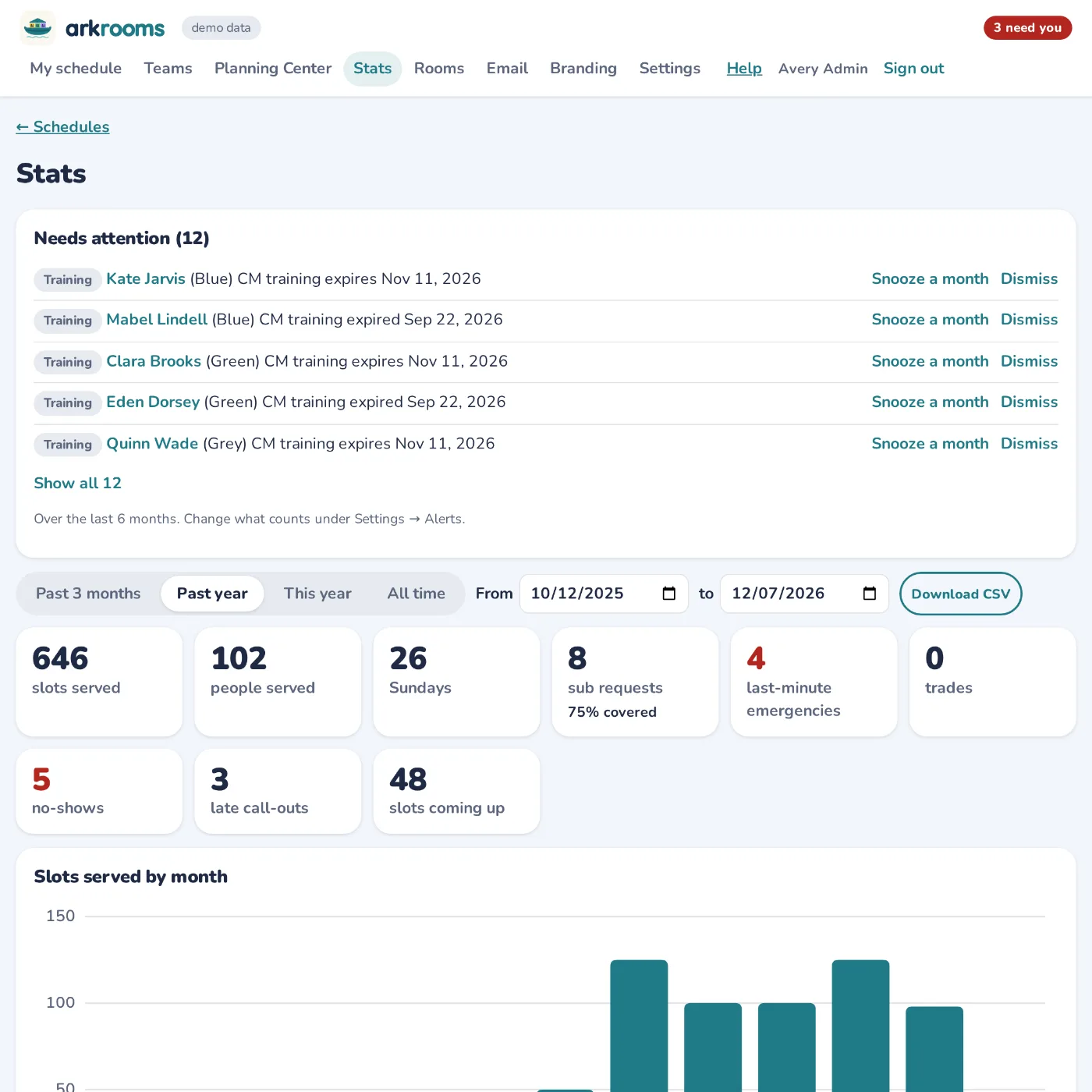
Stats
Slots served by team and person, subs, emergencies and no-shows, for any dates, with a CSV export.
Who's stepping up
The people who covered for others, so you can thank them.
What to plan for
Each age group's typical Sunday and a number to staff for, which you can raise for Easter or VBS.
Alerts
Training about to expire, people who haven't served lately, and anyone carrying too much.
Stats: slots served, sub requests covered, no-shows, and alerts for training running out

Your church, your way

Set up for how your church actually runs.
Guided setup
A new church is walked through every step, from Planning Center to its first schedule, with sensible defaults to accept.
Your services, age groups and rooms
Up to six services, each with its own age groups, and connected rooms that work as one.
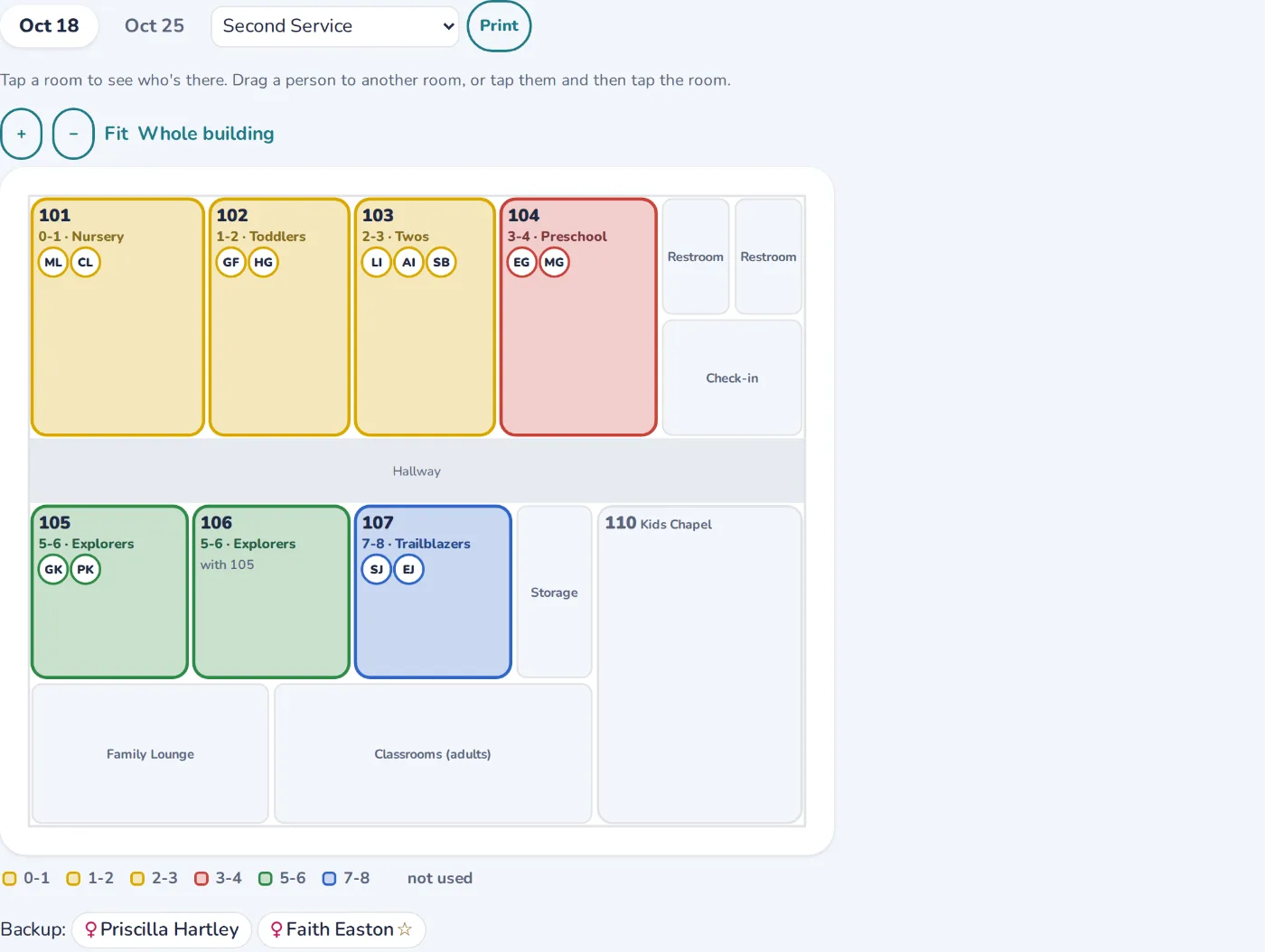
Your own floor plan
Draw it over a picture of your building, or bring in rooms from Planning Center Calendar.
Your brand
Your name, logo, colors, font, and light or dark mode.
Settings for everything
Every rule and option in one searchable place, checked before it's saved.
Email from your church
Reminders and alerts carry your church's name, and replies go to your office.
The building map, with each kids' room colored by age group and its volunteers

Private, careful, and Sunday-safe

Built for children's ministry, with people who serve in one.

Only what's needed

Planning Center access is limited to what Arkrooms uses, and only approved schedules and the fixes an admin chooses are written back.

Nothing about children in email

Check-Ins is read as numbers only, and schedules keep Planning Center IDs instead of names.

Sunday-safe updates

Updates never go out during services, and each church's data is kept separate and backed up.

Coming soon

  • Text-message alerts: the room alerts above, by text as well as email.

See it with a made-up church.