
Hours of hand-scheduling
Juggling who's trained, who's married to whom, who can't do evenings, and who served three weeks running.
For children's ministries on Planning Center
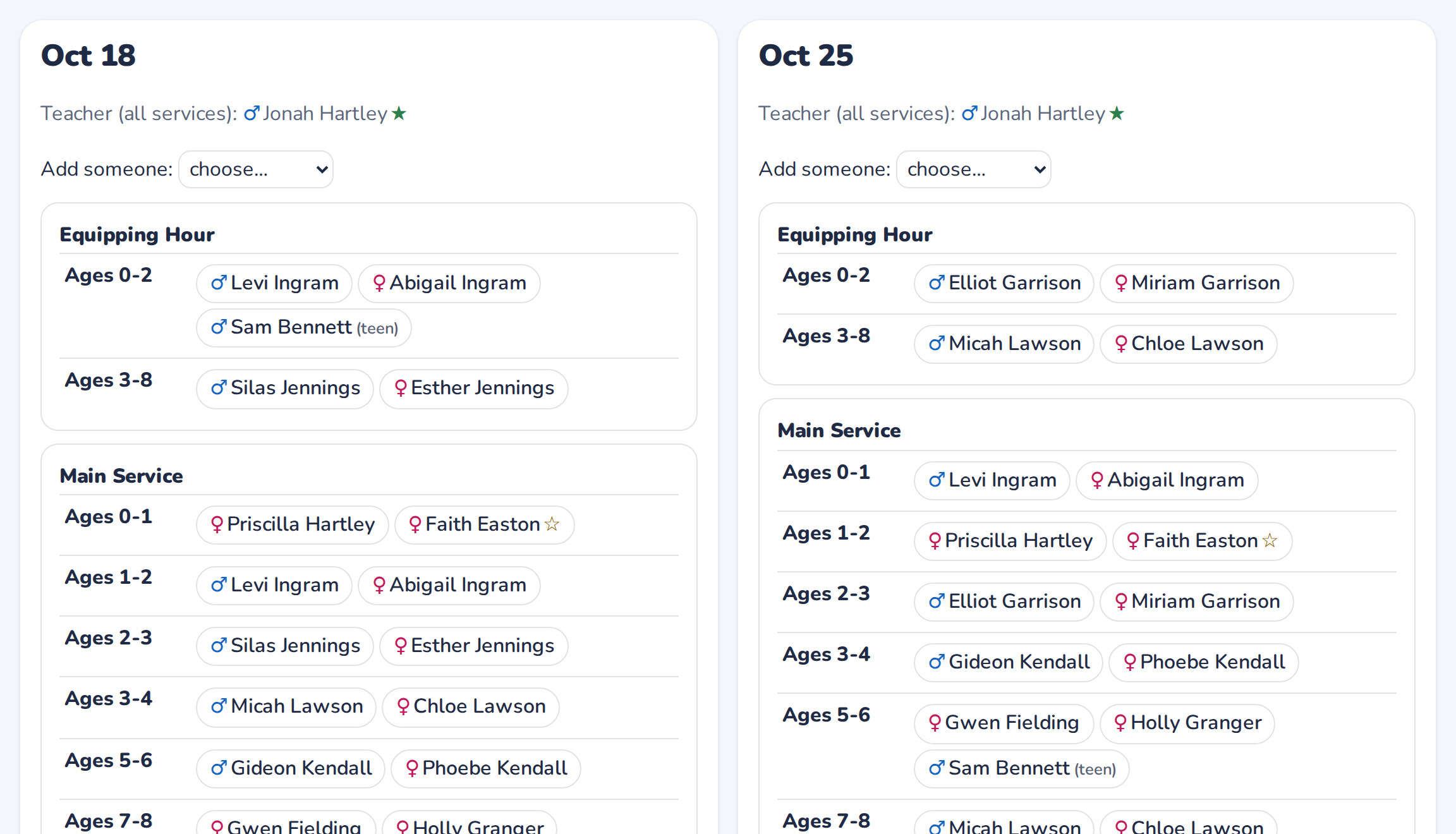
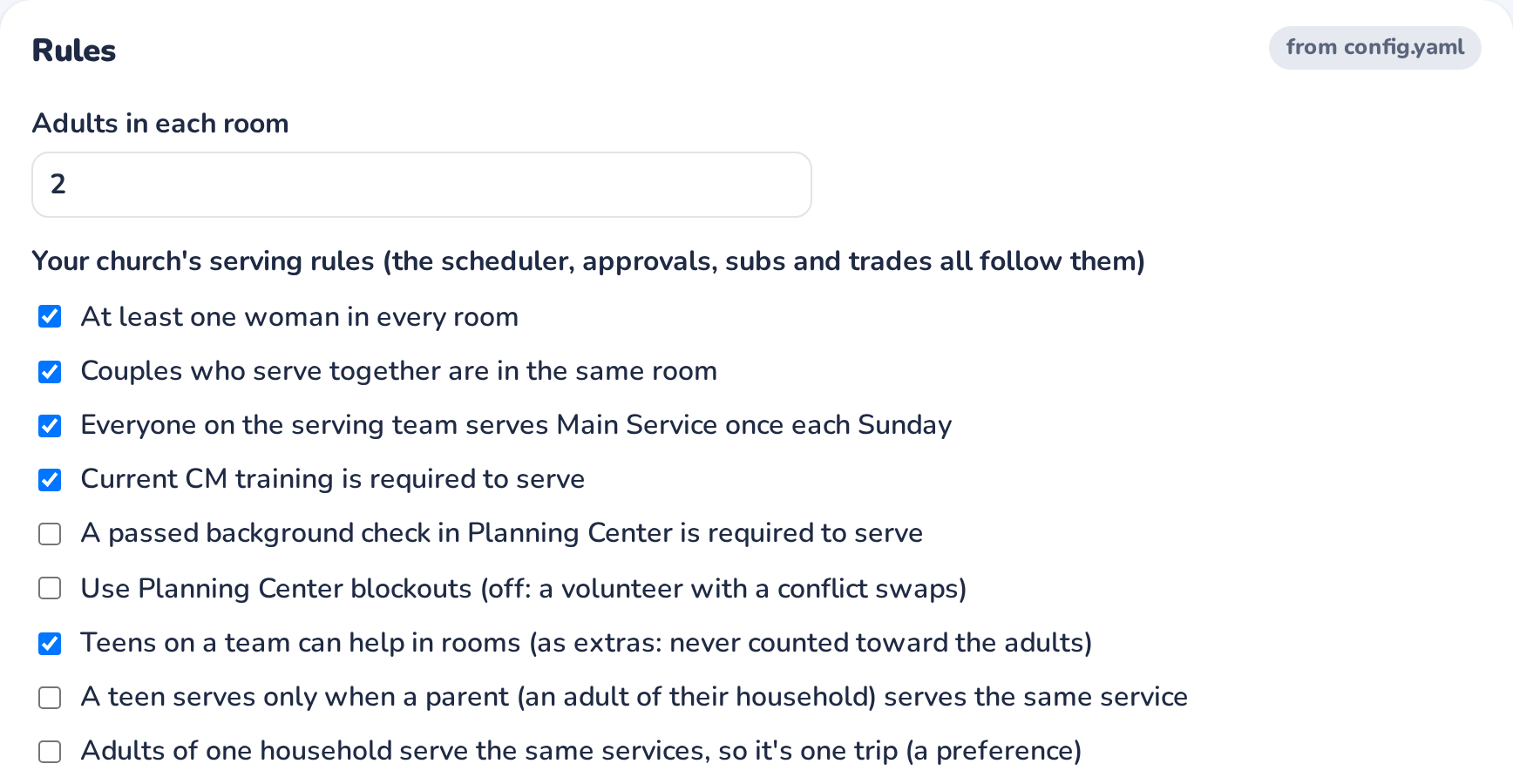
Arkrooms™ builds your kids' ministry schedule for you. Every room gets the right adults, a woman in every room, and current training. Your leaders approve it, and it's published to Planning Center. Sundays just work.
No sign-up for the demo: pick a made-up volunteer and click around.
Juggling who's trained, who's married to whom, who can't do evenings, and who served three weeks running.
Planning Center's sign-ups are first come, first served. Nothing stops two men in the nursery or an expired background check.
Call-outs by text, a room one adult short, and no record of who didn't come.
Volunteers who don't know the room, the time, who they're with, or how to set it up.
How it works
Arkrooms reads your teams, households, training dates, blockouts and room bookings. There's nothing new to type in.
Every room and service is filled automatically. Leaders tweak it, see every check pass, and approve.
It goes into Planning Center Services. Volunteers get their Sundays, reminders and a calendar that updates itself.
Child safety, built in
When someone can't make it
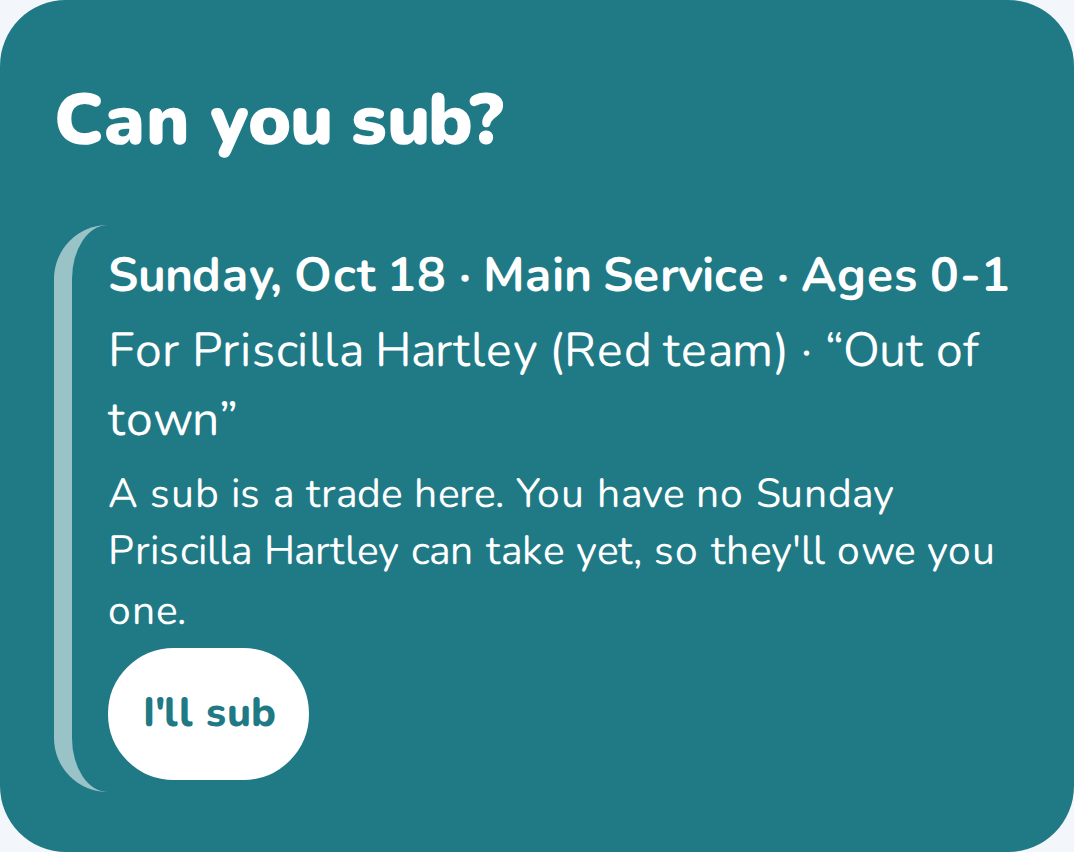
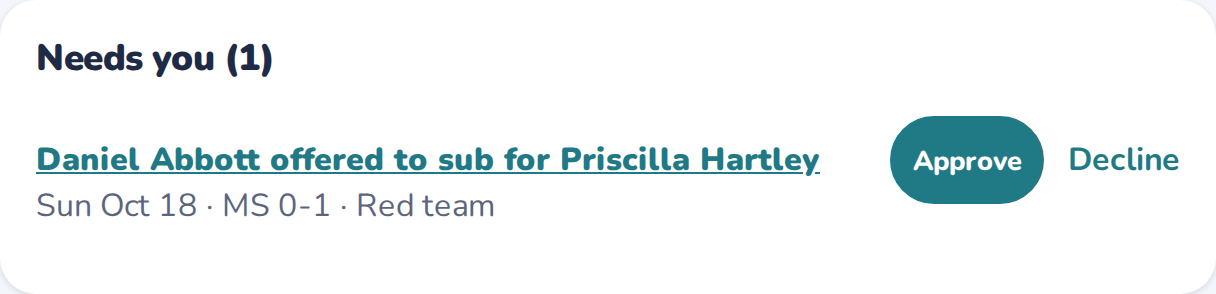
A volunteer taps "Can't make it?" The request goes only to the people who can take that room without breaking a rule. The teams next in the rotation hear first, then everyone. A leader approves with one tap.
Volunteers know exactly where to go
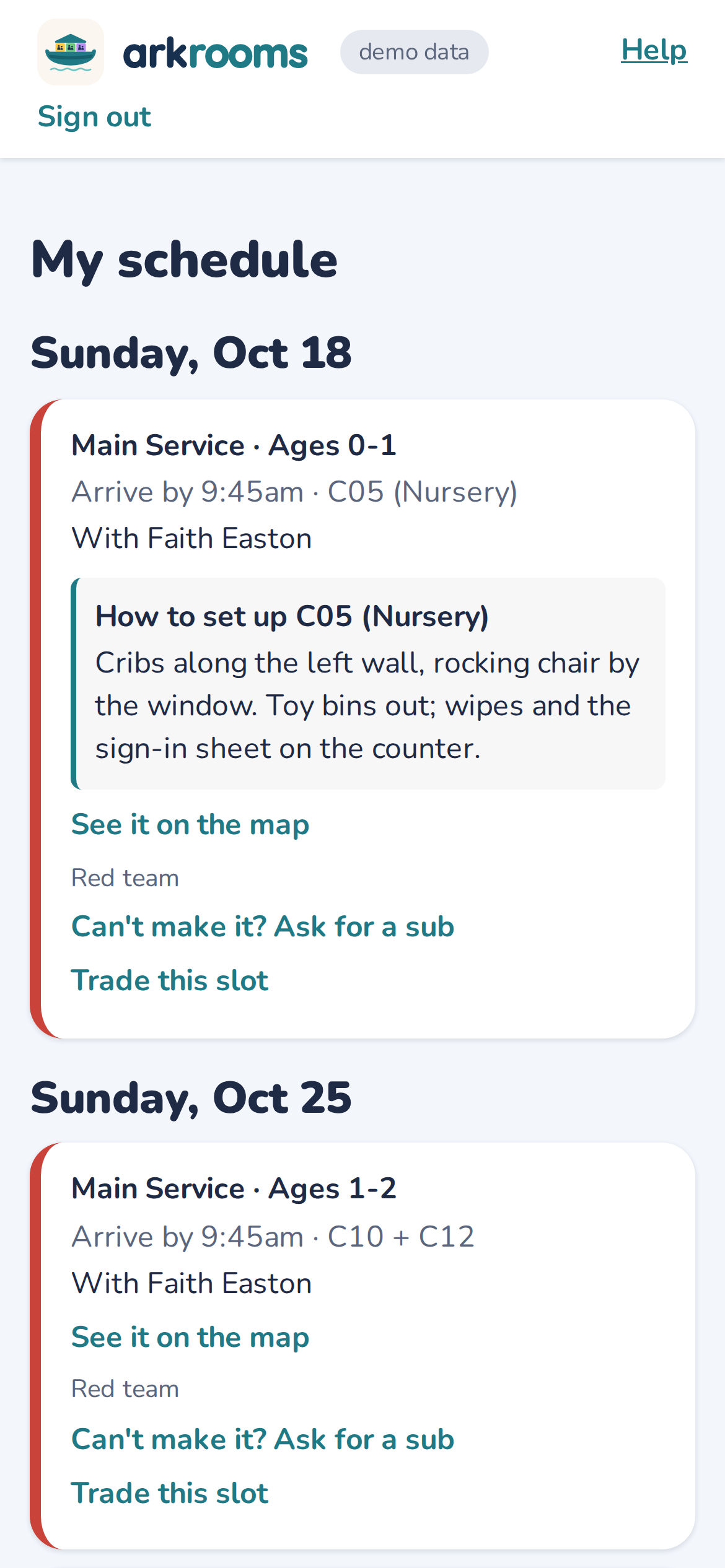
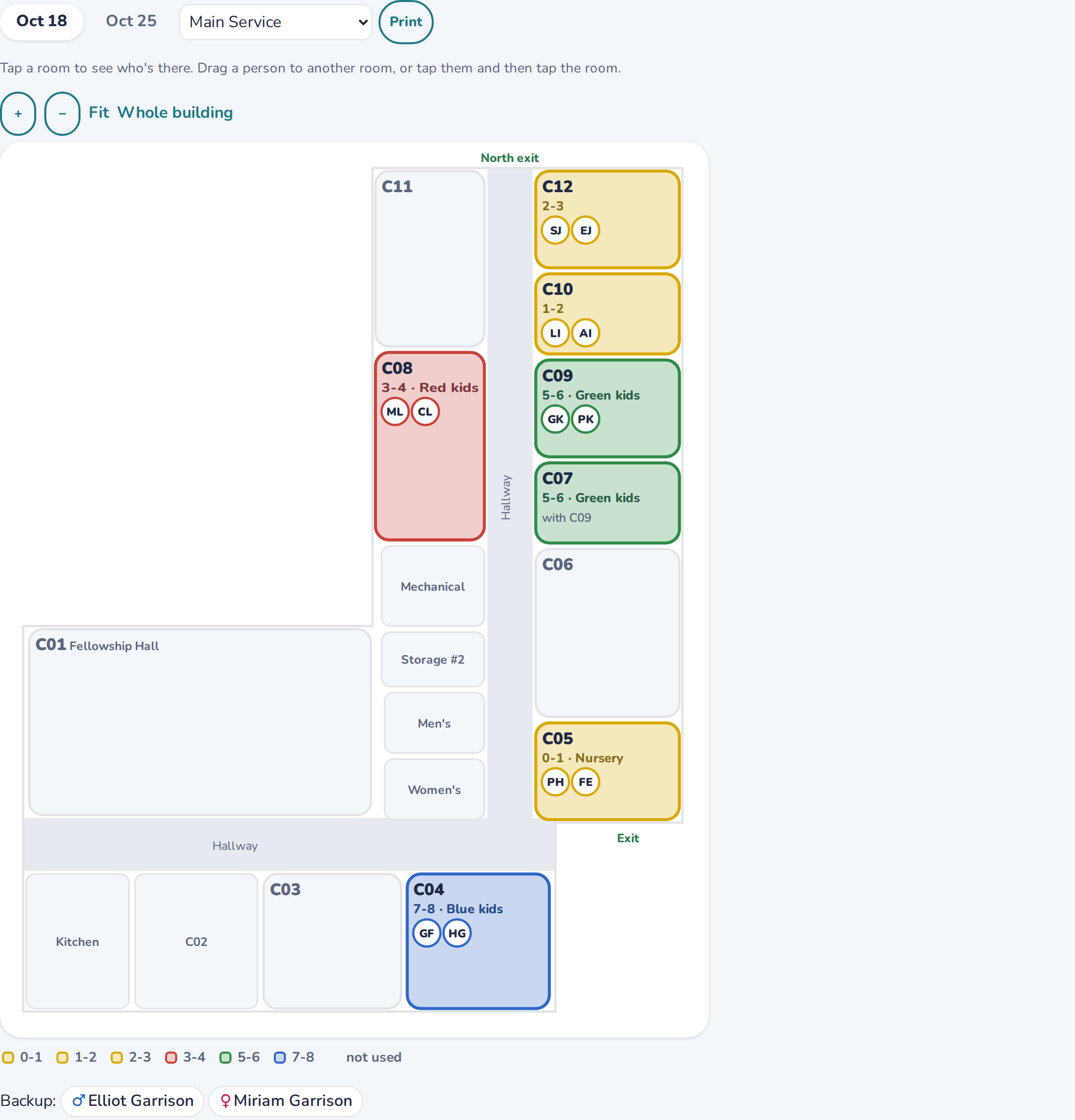
Every volunteer gets a simple page and email with their Sundays: the arrival time, the room on a map of your building, their partner, and your setup notes. Reminders arrive on the days they choose, and their phone calendar keeps itself up to date.
For directors and leaders
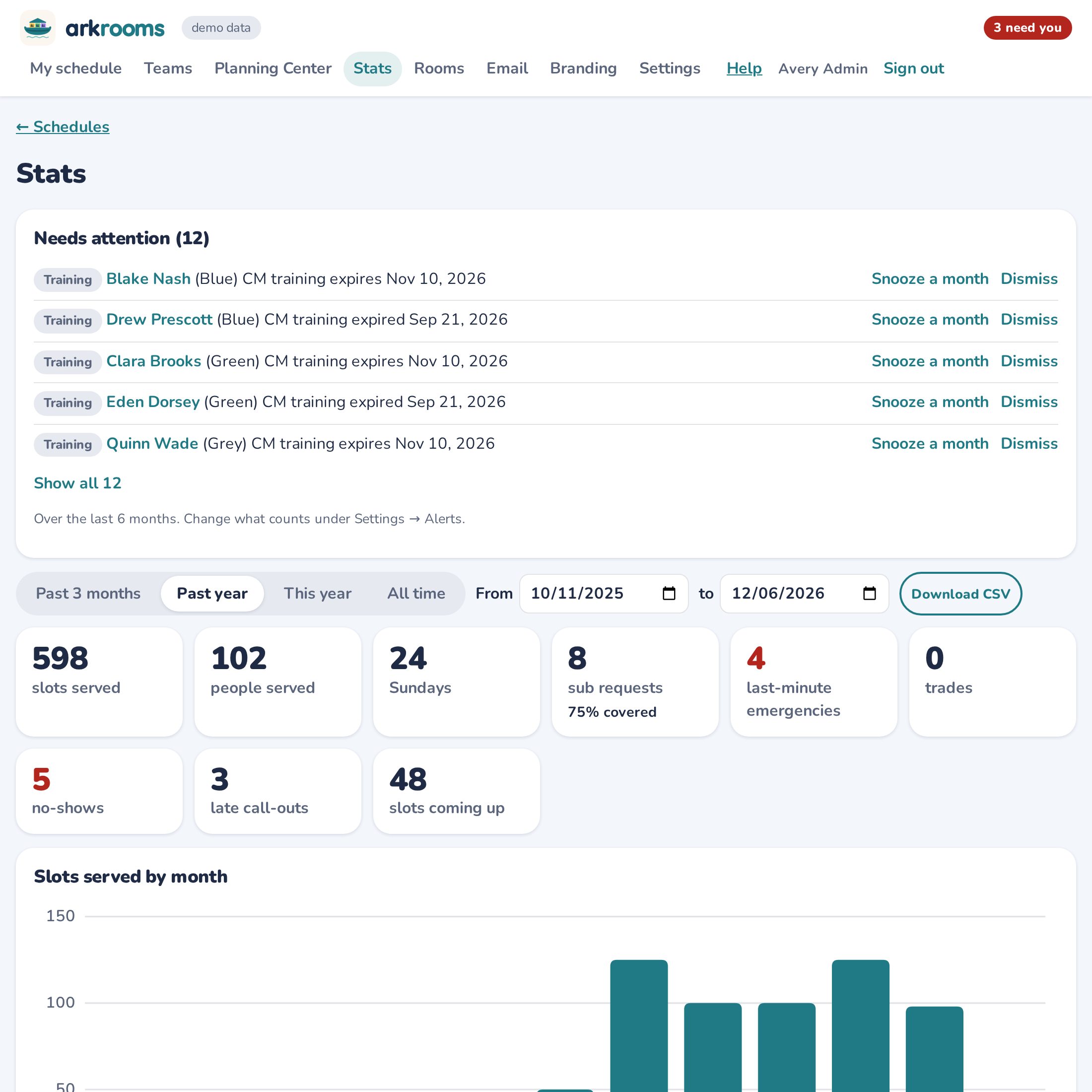
Fair rotations by team, or one team taking turns. A "Needs you" list puts what's waiting first. Stats and alerts cover no-shows, late call-outs and training about to expire. You can mark a Sunday's services cancelled for Christmas or a combined service, or let volunteers sign up for open places, with the rules still checked.
| Planning Center alone | With Arkrooms | |
|---|---|---|
| Kids' safety rules | Not checked | Checked on every schedule, sub and trade |
| Building the schedule | By hand, or a generic auto-fill | Every room filled to your rules, ready to approve |
| Sign-ups | First come, first served | Off, or open places with the rules checked |
| Subs | Ask around | Only people who can take that room are asked |
| Room, map and setup notes | Not included | In every volunteer's Sunday |
| Who didn't come | Not tracked | Tracked, with alerts |
| Households and couples | Light preferences | Rules you can rely on |
Schedules keep Planning Center IDs, not names. Contact details stay in Planning Center, and nothing is sold or shared.
Updates never go out during services, and every release is watched and rolled back automatically if anything looks wrong.
Built with a children's ministry that runs six teams across three services every Sunday.
No. Planning Center stays your system of record. Arkrooms reads from it and publishes the approved schedule back into Planning Center Services.
Only what someone in your church chooses to change, as themselves: the schedules your leaders approve and publish, fixes an admin picks on the discrepancies page, teams an admin builds and applies, training dates after a class, a volunteer's own away dates, and incident notes if you use them. Nothing is changed in the background.
An admin signs in with Planning Center, names your teams and services, and marks your rooms on the floor plan. Your first schedule can be proposed the same day.
It's the real app with made-up volunteers. It resets every night, so click anything.