Settings in the top bar has everything that used to need a change to config.yaml, one section each, in tabs: Scheduling (rotation, services), Rules, Planning Center (the connection, publishing, instant updates), Alerts and emails, Volunteers (onboarding, the Serve page, people to ask, recruiting, badges, recurring tasks), Safety and policies (mandated reporters, incident reports, policies to sign, training classes, emergencies) and Admins and account (admins, features, time zone, your account and your church's data). This is the quick reference; every setting, with what it does, its default, its values and an example, is in the settings reference (the Every setting explained link on each section).
Find a setting or rule at the top narrows the page. It searches setting names, rule names and descriptions, and the people and age groups in your own rules: "Jane" finds every rule that names her. A search looks in every tab. Chips narrow the rules further: on or off, must or preference, built-in or your own, and changed here (not from config.yaml). The search stays in the page's address, so a link opens the same view.
The sections:
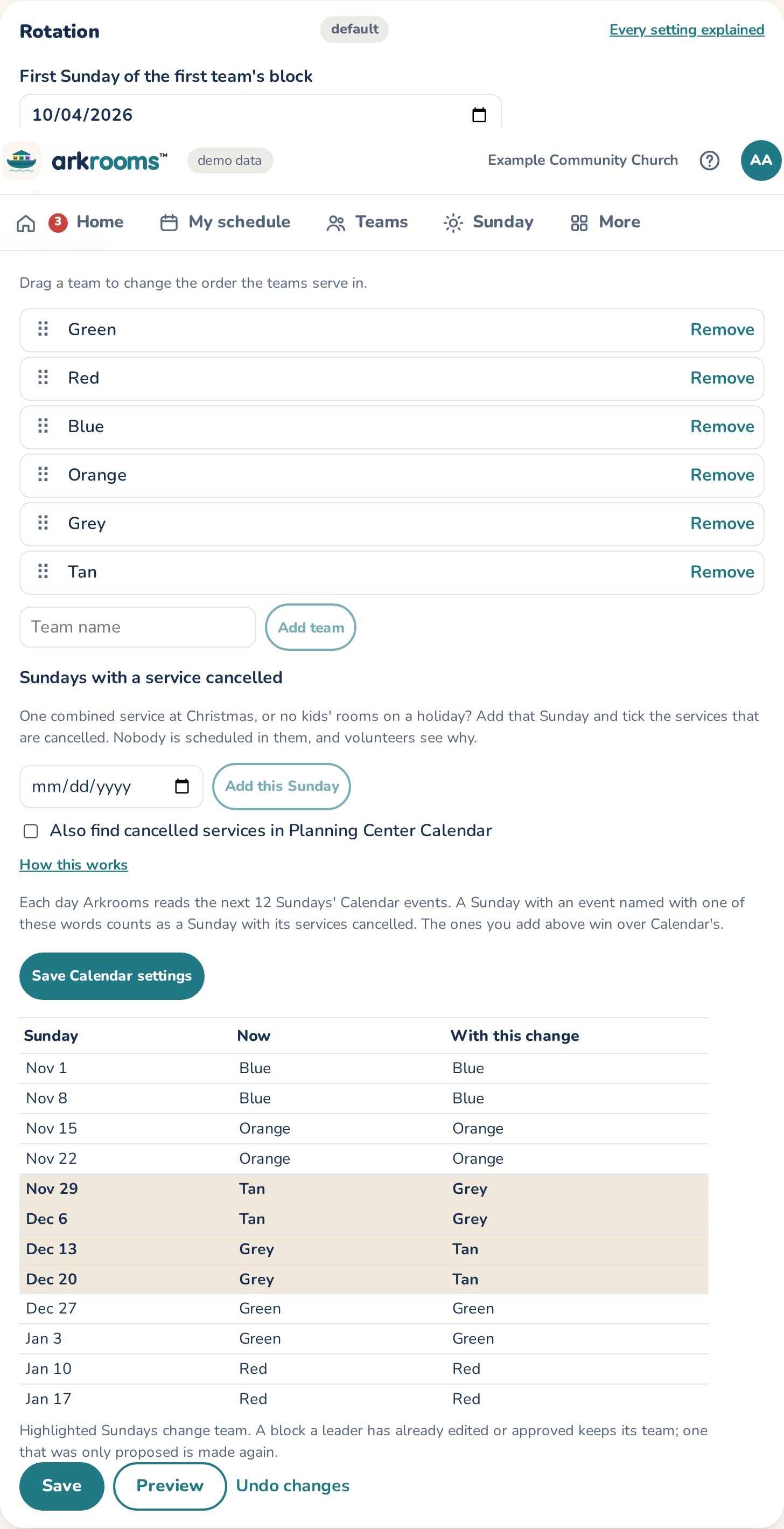
- Rotation: the first Sunday, Sundays per block, the team order (drag a team to move it), the Sundays a different team serves (made by dragging one block onto another on the schedule page, which swaps the two teams), and Sundays with a service cancelled. Preview shows the next blocks now and with your change; approved Sundays never move.
- Services: each service's name, when it starts and how long it lasts, how many minutes before the start volunteers arrive (one number for every service, or a service's own under More), its age groups, and which is the main service. A new service or age group needs rooms on the Rooms page. A job that isn't a room (a hall monitor) is an age group of its own with exactly one adult.
- Rules: adults per room, a woman in every room, couples together, training and background checks, the youngest age, who can serve by membership, teens, households, a parent and their own child's room, how often people asked to serve, observers, and where team leaders serve (in rooms, not in a room, backup only, or each team's leaders decide). New schedules, approvals, subs and trades all follow them. Ratios: adults and kids per adult in each age group (under the rules, by service) sets each age group's fewest and most adults and its ratio, like 1 adult per 3 babies: a room then gets enough adults for the kids Check-Ins expects.
- Your own rules: at least or at most so many of certain people in some rooms, never together, only in some rooms, at most so many Sundays a month, and only certain people can serve. A must blocks approval; a preference is a note.
- Admins, features and time zone: who's an admin, "Fix now", the church's time zone (every date and time in the app is in it), sub approval, subs as trades, and whether volunteers sign themselves up.
- Publishing: writing approved schedules into Planning Center Services, how your teams are named there, position names and notes.
- Where the roster comes from (on the hosted service, Planning Center), with Test the Planning Center connection and What each feature needs from Planning Center, and why.
- Reminder emails and Alerts: when emails go out, and what admins and leaders are told about.
- Incident reports, People to ask and Recruiting email, below the sections.
On the Rooms page: kids per room, pickup, the check-in desk display, Calendar bookings and fire escape routes. The look and name are under Branding.
Each section is checked before it's saved, and asks again before turning on publishing or "Fix now". Its tag says default or changed; Use the default goes back. Export as config.yaml shows the settings to copy into the file, so the command line and GitHub Actions match the app.