
Teams → Build teams puts people on your children's ministry teams here instead of in Planning Center. Start from what Planning Center has now, find people by name, add each to a team as Volunteer, Leader or Teacher, move or take people off, and tick which service types each team serves in (each team gets its own team in each one). Moving from a roster spreadsheet? Start from your roster document takes the file (the roster YAML, or a CSV with name, team and role columns), puts everyone found in Planning Center on their team, and lists who isn't in Planning Center yet. The file itself isn't kept.
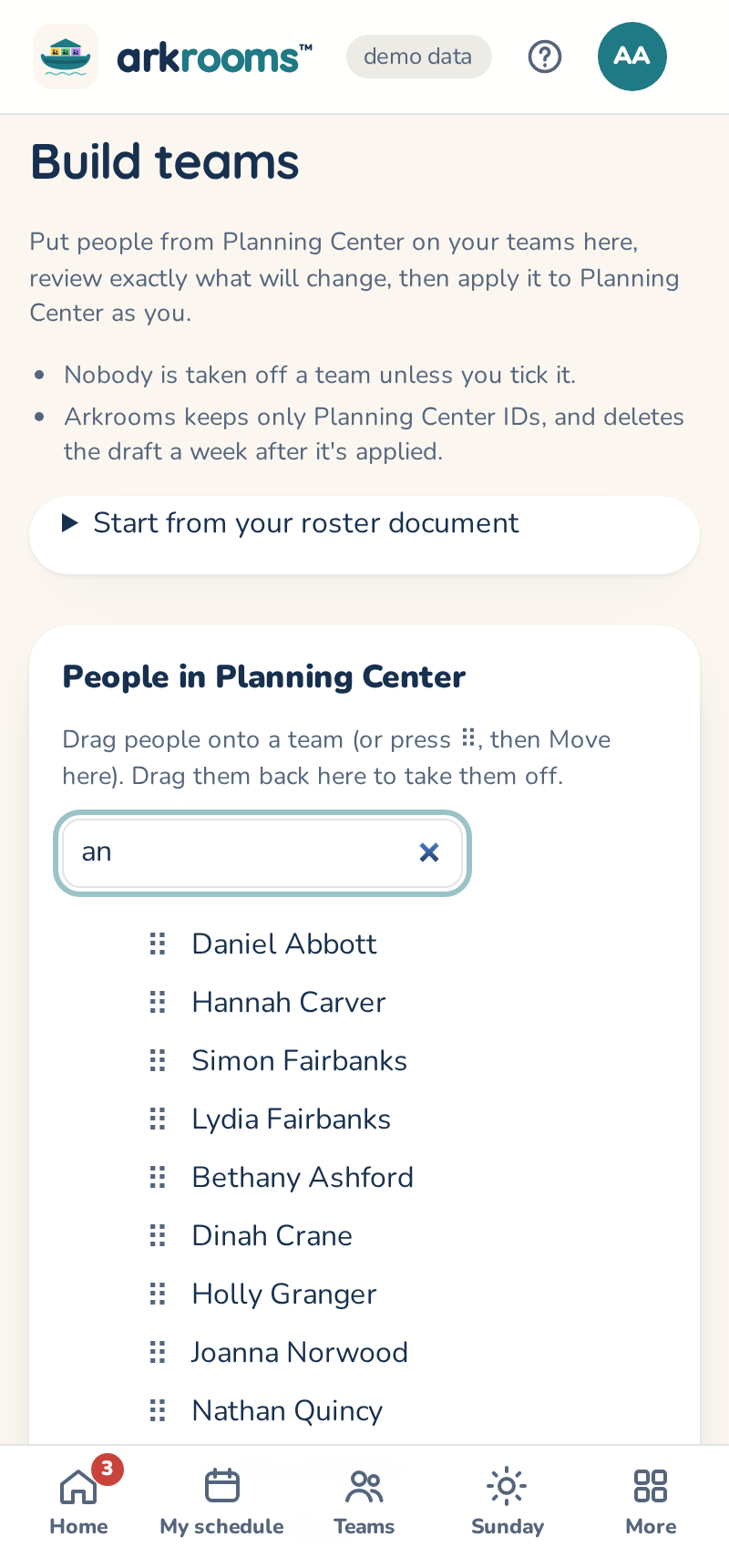
Review the changes lists exactly what will happen in Planning Center: teams to create, positions to add, people to add, and removals and moves. Removals start unticked: nobody comes off a team unless you tick it. Apply makes the ticked changes in Planning Center as you, one at a time; anything that fails is listed with Planning Center's reason, and reviewing again picks up what's left. It needs "Arkrooms can change Planning Center" on (Settings → Admins, features and time zone), and you need to be an Editor in Services and a Viewer (or more) in People in Planning Center: the page says what to ask for if you aren't. With no service type for children's ministry yet, it can make "Kids Ministry" for you.
Arkrooms keeps only Planning Center IDs for the draft, and deletes it a week after it's applied or thrown away.