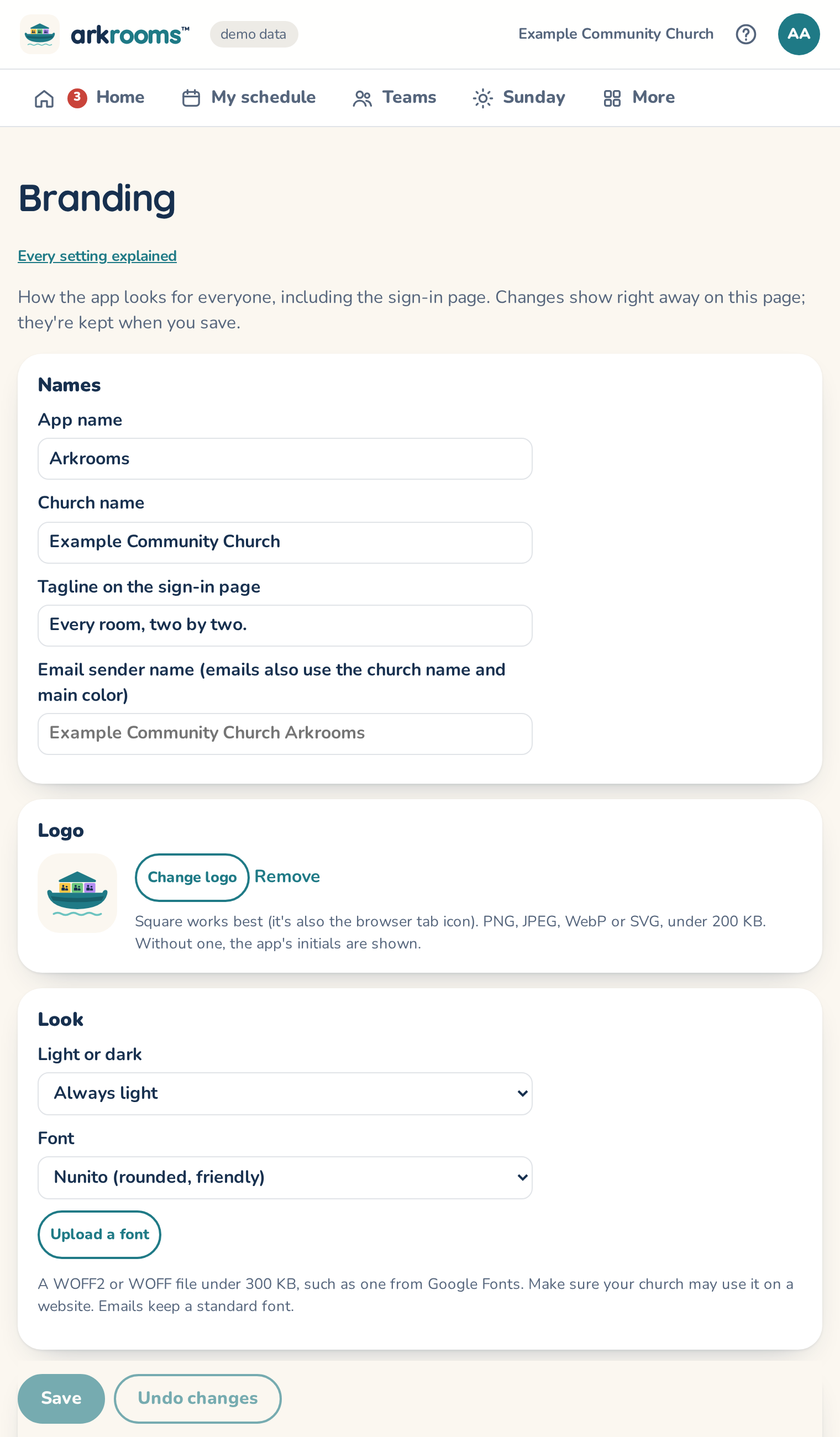
Branding in the top bar sets how the app looks for everyone, including the sign-in page:
- Names: the app's name (also the browser tab title), the church name, the sign-in tagline, and the email sender name (emails come from that name, with the church name in a bar of the main color and in the footer).
- Logo: a square PNG, JPEG, WebP or SVG under 200 KB. It's also the tab icon. Without one, the app's initials are shown.
- Light or dark: always light (the default), follow each person's device, or always dark. Font: Nunito, the device's own font, or one you upload (a WOFF2 or WOFF file under 300 KB; emails keep a standard font).
- Colors for the light and the dark theme: main color, backgrounds, text, problems, warnings. The page warns when text would be hard to read.
- Team and age-group colors: the exact shade of each color name used for teams and age groups. Rooms on the map use a light version.
Changes show on the page right away. Save keeps them for everyone, Undo changes goes back to what was saved, and Reset to default brings back the original look.
Light or dark is your church's default. Anyone can choose their own on their own phone or computer: My choices → On this device (light, dark, or match the device). That choice stays on that device only.