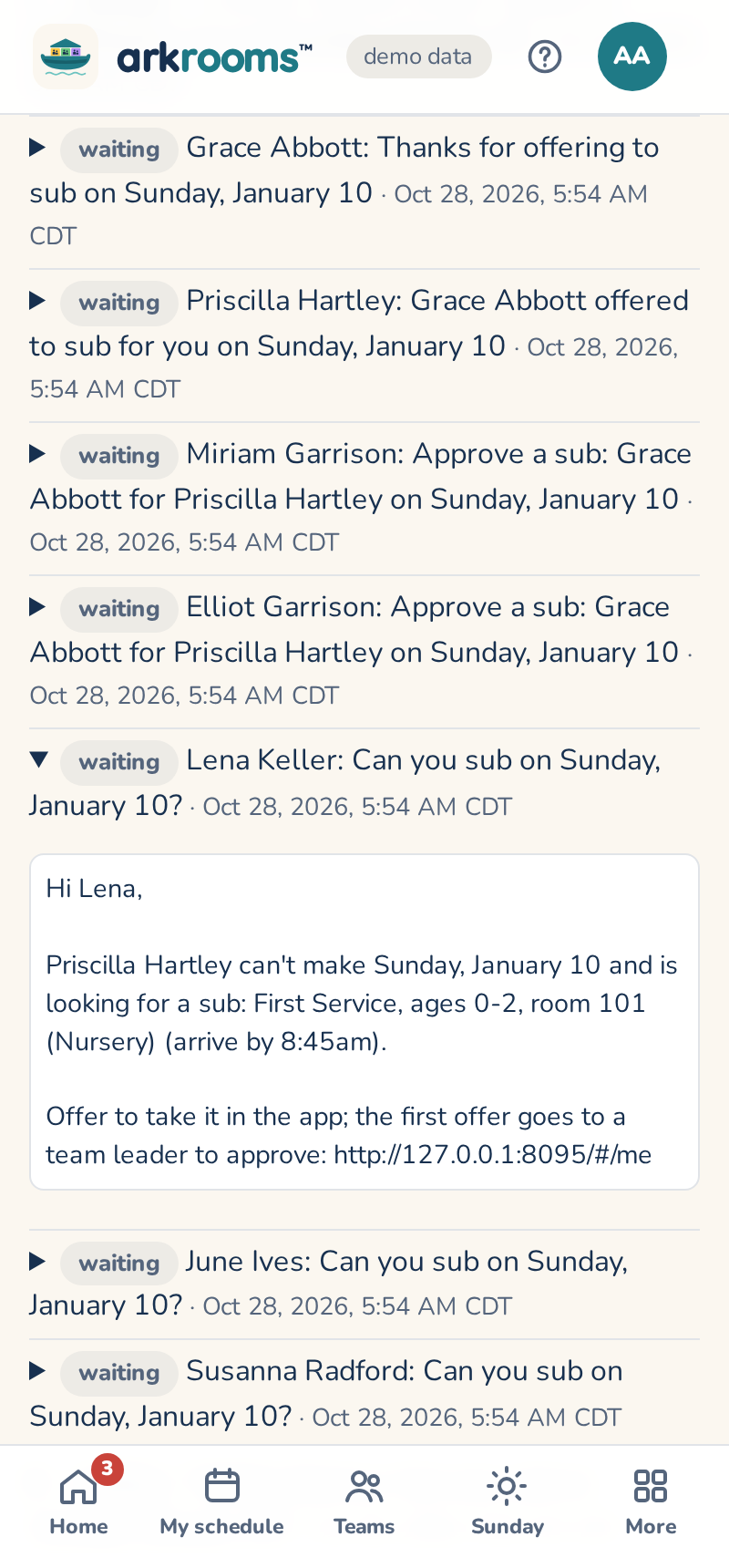
The app emails people when a schedule is approved (their Sundays and how to ask for a sub), when there's a sub request they could take, when someone offers to sub (the team's leaders, to approve it), and when a sub is found (the requester, the sub and the team's leaders). Every day it also sends reminders before each Sunday someone serves (7 days and 1 day before unless changed under Settings → Reminder emails: days, time of day, which services and a note added to each; volunteers can pick their own days), CM training notices 60, 30 and 7 days before it expires and on the day (to the volunteer, their leaders and the admins), and tells a team's leaders when their block's schedule is ready, 6 weeks ahead, then weekly until they approve it. Email in the top bar lists every message and whether it went out; until email is set up (deploy.md) they wait there. Addresses come from Planning Center when sending and aren't stored in the app.
Replies go to on the Email page is where replies to the app's emails land: an address someone at the church reads, like the office's. Left empty, replies go to the address the app sends from.
Getting-started emails from Arkrooms, on the same page, are the few emails a church that signed itself up gets while it's setting up: a nudge to finish setup after 3 days, and an offer of help after 2 weeks with no schedule. They come one at a time, at least 4 days apart (a trial notice counts), only on a weekday morning in your time zone, and never on a Sunday. Untick the box to stop them for the whole church, or use the stop link in one to stop them just for you. Notices about the account itself, like the free month ending, still come.