
Scheduling rules
Children's ministry scheduling rules, checked for you.
Write your safety policy down once. Arkrooms keeps it in every schedule, every sub and every swap, and a schedule that breaks a rule can't be approved. It works with Planning Center: your people, teams and training dates come from there.
The rules a kids' ministry needs
Each one is a setting. Turn on the ones your policy asks for.
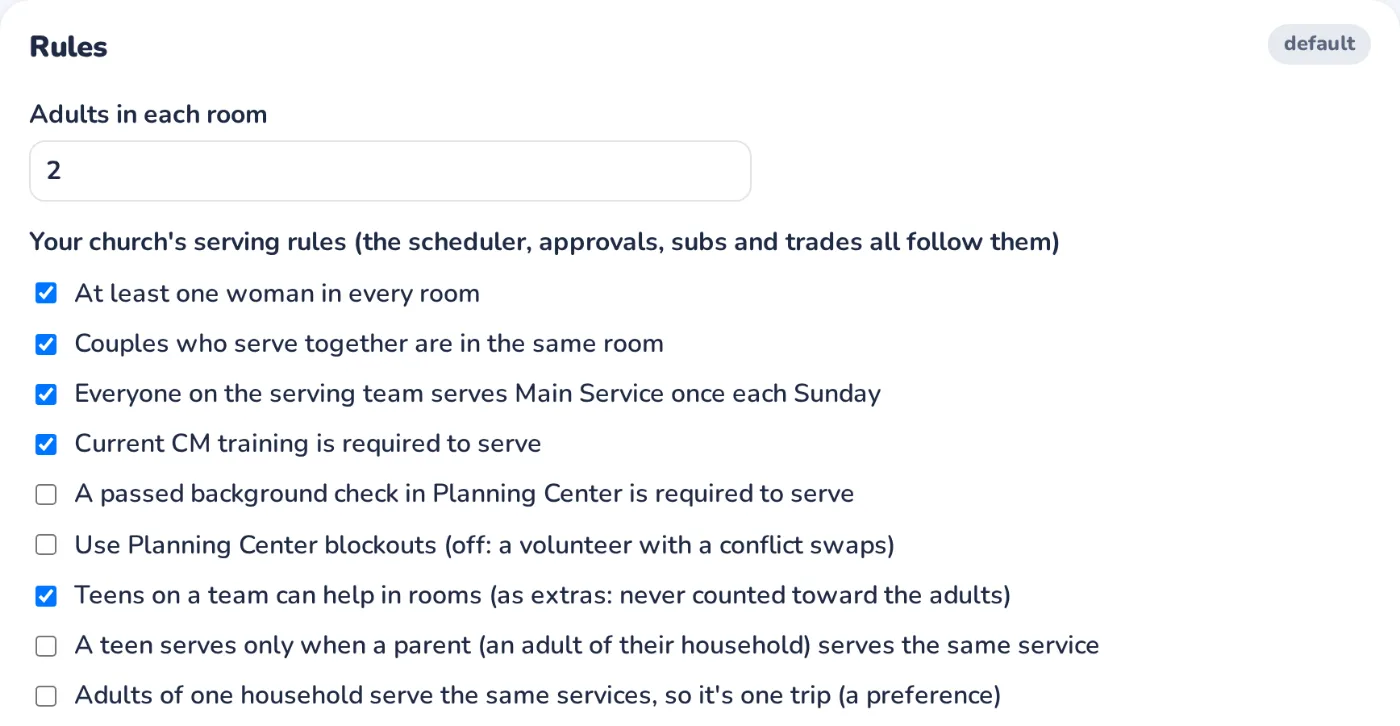
- Adults in every room
- Two adults per room by default, or each age group's own minimum. More on the two-adult rule.
- A woman in every room
- If your policy requires it, for every room or only the rooms you pick.
- Ratios that follow the kids
- Kids per adult for each age group (3 babies to 1 adult, say), so rooms are staffed for the kids you expect. See the free ratio table.
- Training that's current
- Only volunteers with current training are scheduled, and they're reminded 60, 30 and 7 days before it runs out.
- Background checks, if you require them
- A passed check in Planning Center People becomes a rule, checked like the others. No tracker yet? Start with the free spreadsheet.
- Teens as helpers, never as adults
- Teens serve as extras alongside the adults, never counted toward them, and only with a parent at the same service if you like.
- Rules of your own
- At least, at most, never together, only these rooms, so many times a month, or required, each set as a must or a preference.
How it works
Set the rules once. Every schedule after that keeps them.
- 1. Set your rules
- An admin turns on the rules your policy asks for in Settings → Rules. Sensible defaults are already filled in.
- 2. The schedule is proposed
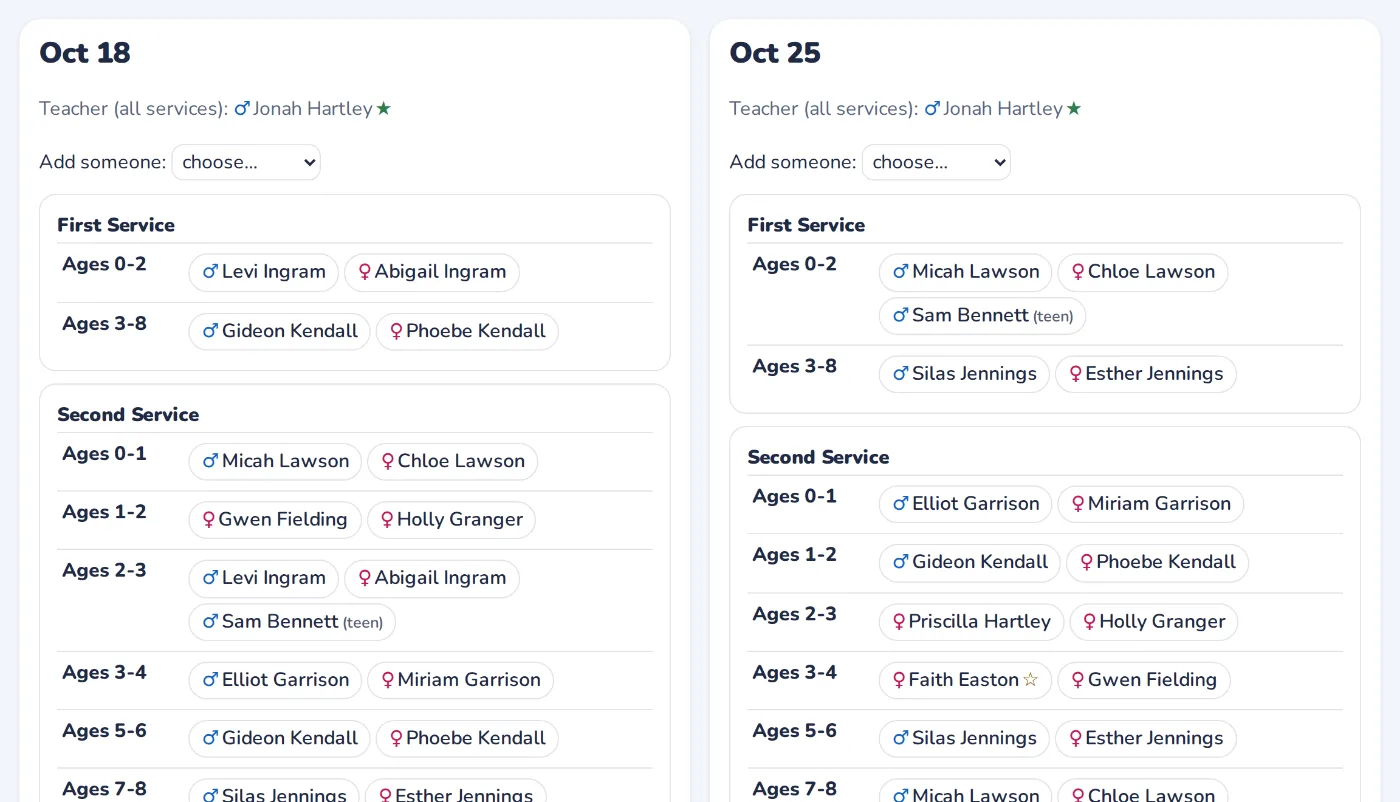
- Every room and service is filled from your rotation, and every rule is checked as it's filled.
- 3. Leaders review and approve
- Leaders move people around, and each change is checked as they make it. A schedule that breaks a must can't be approved.
- 4. It stays true all season
- Sub requests, swaps and sign-ups are checked against the same rules, so a Sunday can't drift out of policy.
Questions
Do we have to use every rule?
No. Each rule is its own setting, and rules of your own can be musts or preferences. A preference is kept when it can be; a must is never broken.
Where do training and background check dates come from?
From Planning Center People, the fields your church already keeps. Arkrooms reads them; it doesn't keep its own copy of anyone's check.
What happens when a room can't be staffed within the rules?
The schedule shows the gap instead of breaking a rule, so a leader can find someone. It's never filled with someone the rules don't allow.
Do we have to leave Planning Center?
No. Planning Center stays your system of record. Arkrooms reads from it and publishes the approved schedule back into Planning Center Services.